How We're Using CMS With Our Clients

NOTE REGARDING TO CLIENTS: If you are a client of AT Products LLC, please reach out to add a CMS to your project. We will be happy to assist you in setting up a CMS that fits your needs and helps you manage your content more effectively.
At AT Products LLC, we understand the importance of providing our clients with the best tools to manage their content effectively. That's why we're leveraging Content Management Systems (CMS) to streamline the process of content creation, editing, and publishing for our clients.
What is a CMS?
A CMS, which stands for a Content Management System, is a software application that allows users to create, edit, and manage digital content without needing extensive technical knowledge. It provides a user-friendly interface that simplifies the process of managing websites, blogs, and other online platforms.
A CMS also replaces the need to edit code manually to add, edit, or delete content, which our clients may not be familiar with, but had to do in the past. With a CMS, our clients can easily update their websites, add new content, and manage such without needing to rely on a developer or to learn coding for every change.
How We're Using CMS With Our Clients
For this section, we'll using one of our clients site, Stephany's Treasures, which is the first site we've implemented a CMS for.

For our clients, emails from Netlify has been sent to notify them to create a new user using Netlify Identity; once they have created their user, they can log in to the CMS and start managing their content.
We also use Decap CMS, which is a headless CMS that allows for flexible content management, which works flawlessly with Git Gateway.
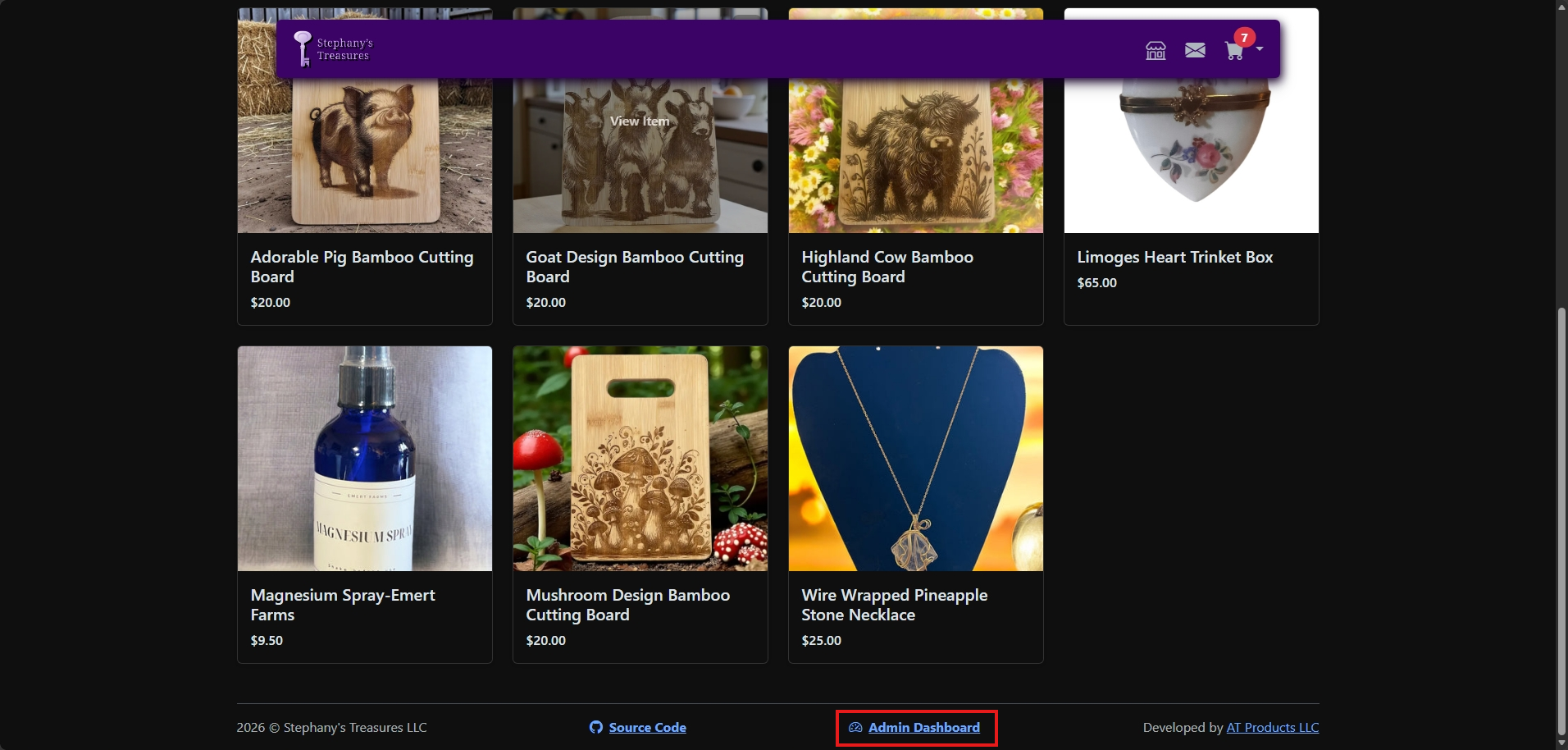
To return to the CMS, a new link will be available where they can access it at any time (as shown in the screenshot above, it being the "Admin Dashboard" link on the footer).
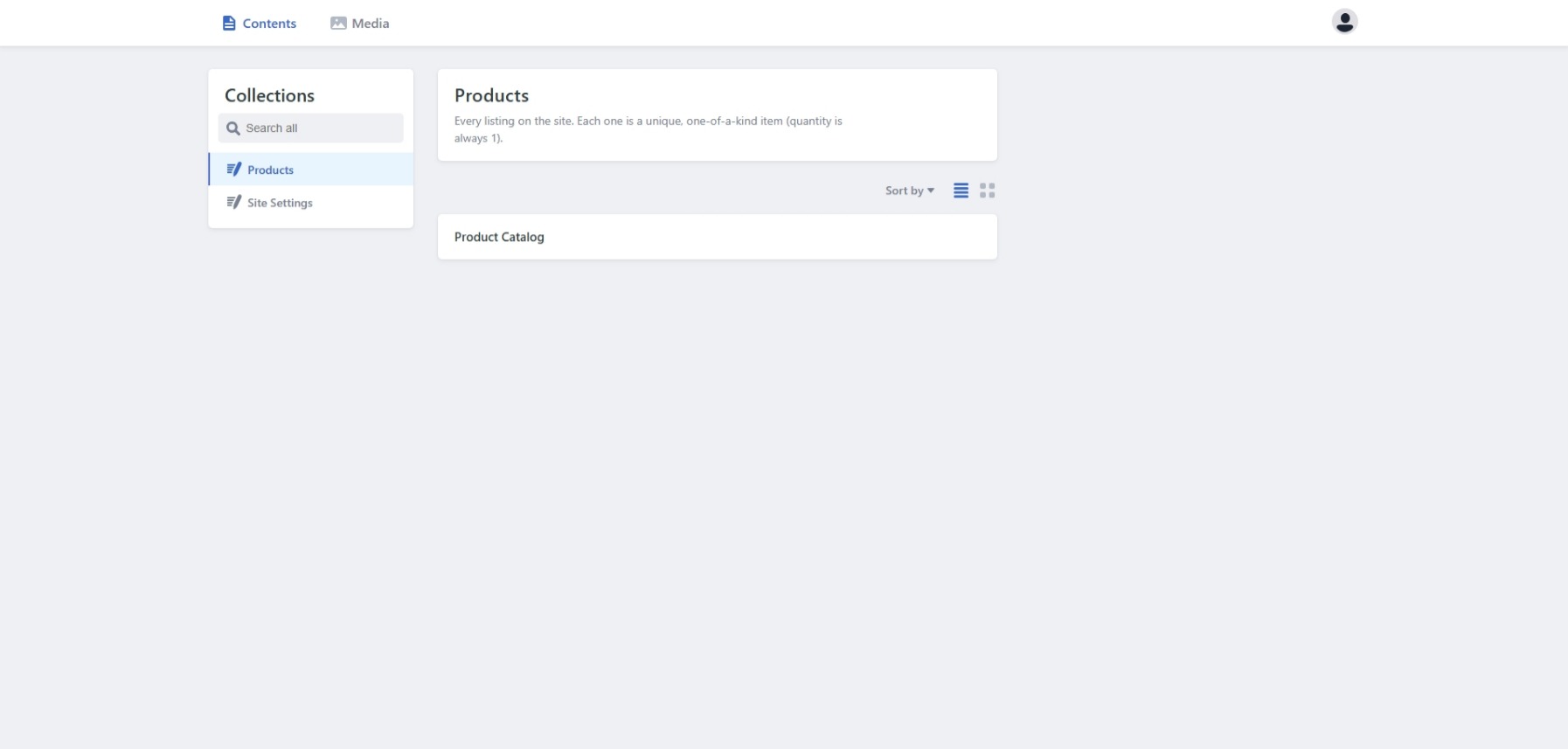
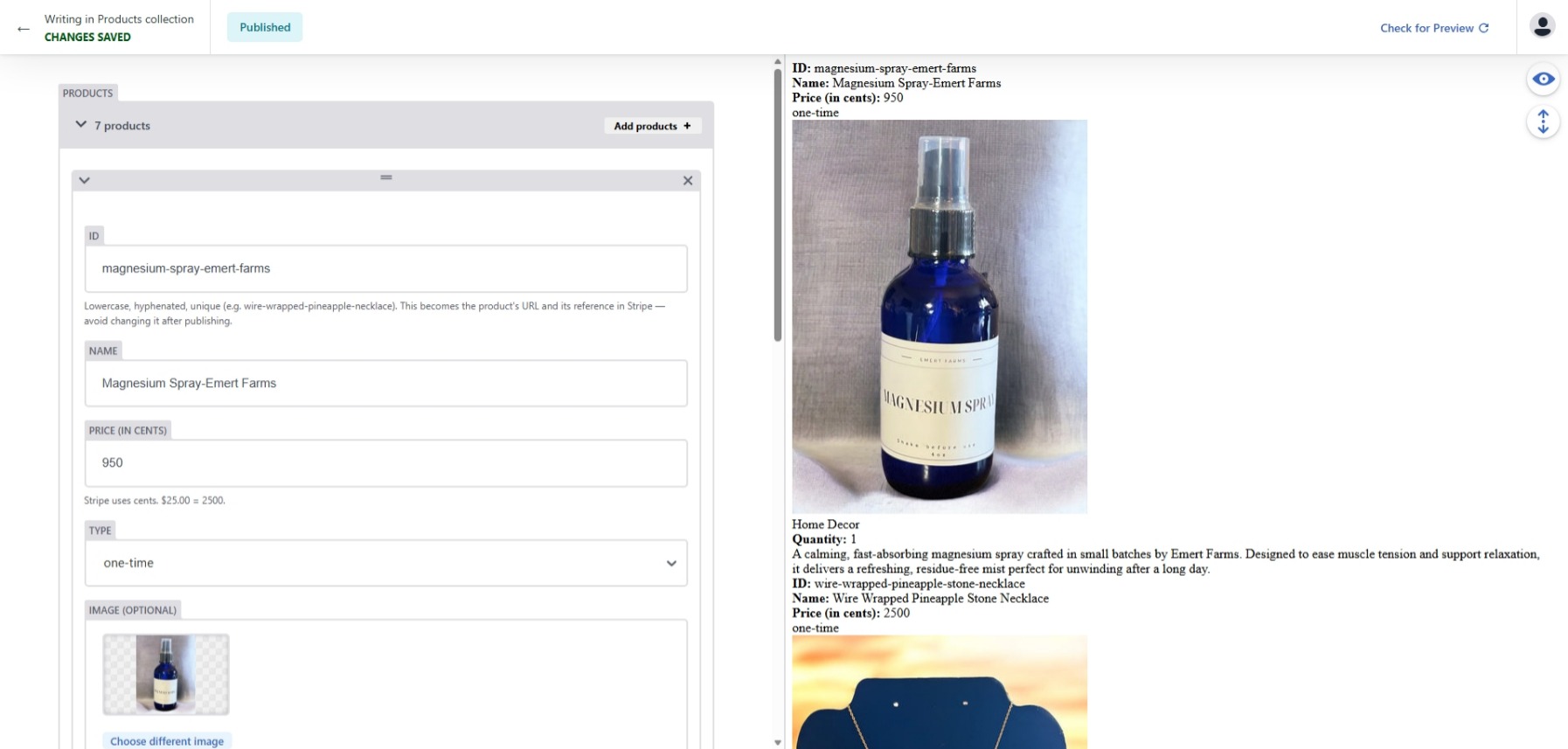
Once inside a client's CMS, they can easily manage their content, for example, new products for their store. This products section allows them to add, edit, and delete products as needed, and it'll sync to their page, and even Stripe if they have it integrated.
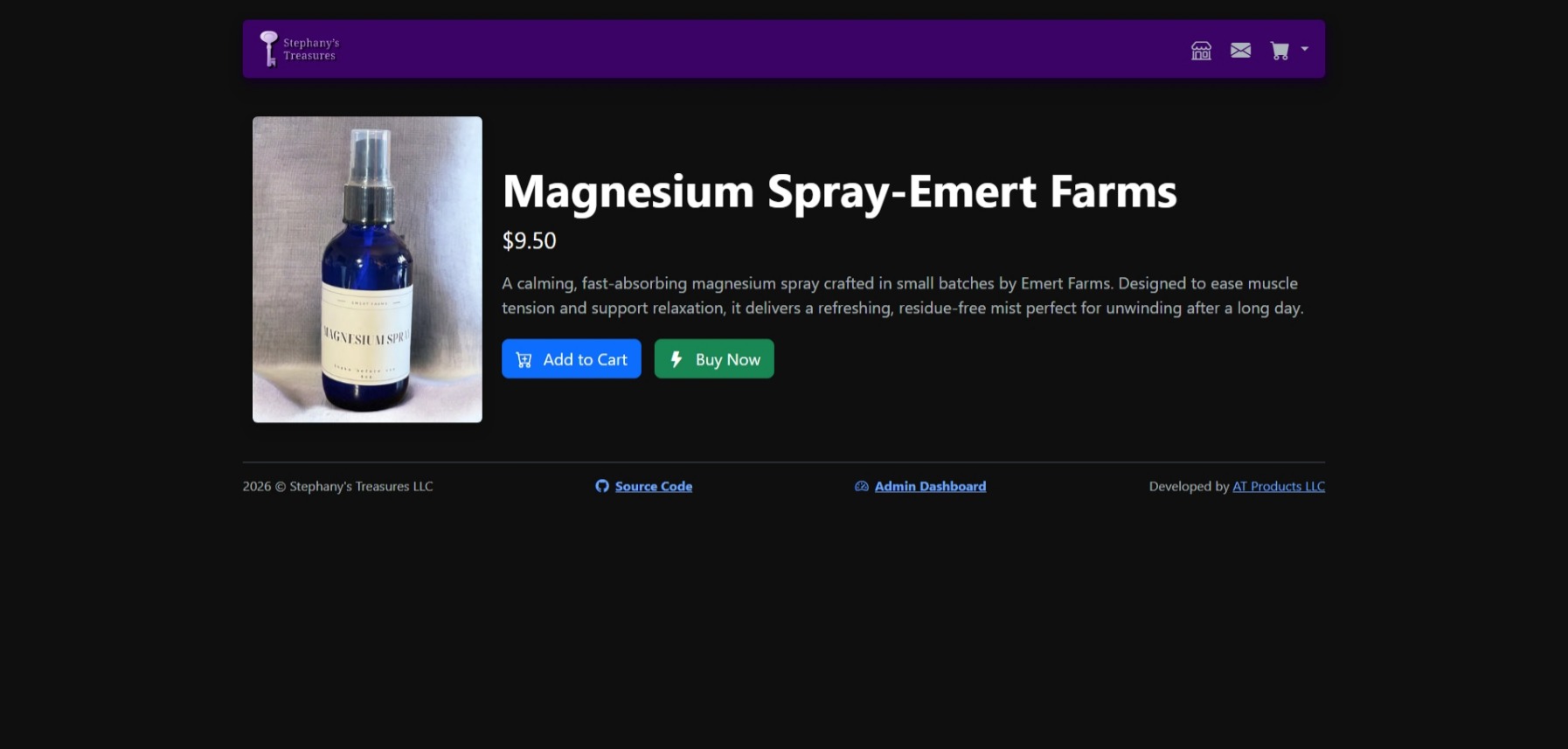
In the example above, a product was edited in the CMS, and the changes were reflected on the site. This demonstrates how our clients can easily manage their content without needing to know how to code or make changes directly to the website's codebase.
Overall, using a CMS allows our clients to have more control over their content, and it streamlines the process of managing their websites. It also allows us to provide better support and maintenance for our clients, as we can easily make updates and changes to their sites without needing to go through a lengthy development process.
Conclusion
In conclusion, using a CMS with our clients has been a game-changer for both us and our clients. It allows for easier content management, faster updates, and a more user-friendly experience for our clients. We look forward to continuing to implement CMS solutions for our clients and helping them manage their content more effectively.
We hope this article has provided you with a better understanding of what a CMS is and how we're using it with our clients. If you're interested in learning more about CMS or how we can help you implement one for your website, please don't hesitate to reach out to us.
Thank you for reading, and we look forward to helping you manage your content more effectively with a CMS!
Thank you for reading,
— Alex Toucan, Founder and Owner of AT Products LLC